I have received several error reports related to the cumulative update KB508206, released on April 14, 2024, for Windows Server 2025. In some environments, the installation of this update fails with error code 0x80073712. Other machines fail with installation error 0x800F0983. Microsoft has confirmed the latter installation error; and I got an explanation for install error 0x80073712 (blame legacy Windows Media Player app).
I had reported on the security updates for Windows Server released by Microsoft in my blog post Patchday: Windows Server-Updates (14. April 2026) [you can use the build-in translator in all article within the German blog to switch the language]. But these updates are causing serveral issues.
KB5082063 fails with install error 0x800F0983
Some administrators are seeing machines with Windows Server 2025 failing installation of security update KB5082063. They are receiving an install error 0x800F0983. I came across a Microsoft announcement on the patchmanagement.org mailing list stating that the KB5082063 update for Windows Server 2025 triggers error 0x800F0983 during installation.
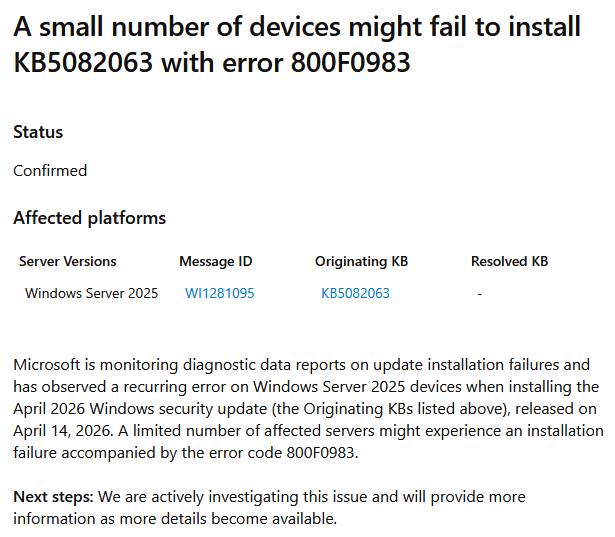
I've covered that topic and the following error within my German blog post Windows Server 2025: Update KB5082063 liefert Error 0x800F0983, 0x80073712 [Windows Server 2025: Update KB5082063 causes errors 0x800F0983 and 0x80073712]. But there is more – German blog readers mentioned more installation issues.
Update KB5082063 fails with Error 0x80073712
German blog reader Martin wrote in this comment that the 2026-04 security update (KB5082063) (26100.32690) cannot be installed on any of the customer systems running Windows Server 2025 Standard. The installation always fails with error 0x80073712 (see also my German blog post Windows Server 2025: Update KB5082063 liefert Error 0x800F0983, 0x80073712). Martin states that the servers are set up in German. He mentioned repair commands with sfc and dism, that didn't helped. Other confirmed this installation issue.
An analysis by a blog reader suggests that the issue is caused by the legacy Windows Media Player app and it's language packs. Some files are missing, so Error 0x80073712 ist dropped. That may affect Windows server installations with German, French, Spanish language packs and other languages as well.
I covered more details and a workaround how to solve this installation issue within my German blog post Windows Server 2025: Fehler 0x80073712 bei KB5082063 durch Media Player-Sprachpakete [Windows Server 2025: Error 0x80073712 with KB5082063 caused by Media Player language packs].